[RELEASE] WA3 Editor Tools Conversion Files (UPDATE DEC. 02)
Posted: Fri Nov 01, 2013 9:16 pm
PoTZ Spoilers in this thread. Read at your own risk!
UPDATED NOVEMBER 28th. Scroll down for details.
UPDATED DECEMBER 02nd. Scroll down for details.
In a similar vein to cbloopy and jafo1015's editor conversion objects allowing us to create levels using elements from MoFI, I've worked on putting together a set that allows us to use most of the gameplay objects from PoTZ.
The ones that aren't included are the Suction Tube "corner" pieces and standalone Brr Pads (These are indeed a separate object in PoTZ, I've checked). Additionally, I'm aware that Suction Tubes are somewhat annoying to work with here. I'm not sure what I can do about regular tubes, but I'm looking into it.
This also doesn't include PoTZ "Scenery" or objects that have had alterations between WA/MoFI and PoTZ (Stinker NPC, for instance).
ADDITIONALLY, I've put together a small Hub/Adventure set that does nothing other than allow the player to start PoTZ in a "Custom Adventure" mode in only a minute or two (I can't figure out how to hex the .exe file like cbloopy did, unfortunately).
So, basically, these packages:
- Allow you to run custom WA3 Adventures in the meantime before the Editor proper is released
- Allow you to create custom WA3 adventures using most of the gameplay elements introduced in PoTZ
- Are nothing more than an "in the meantime" thing before the Editor's proper release (which will hopefully be soon-ish)
Links:
PoTZ Player package (THIS IS NOT A COPY OF WA3, YOU MUST ALREADY OWN IT)
Editor .wop package, WA1 Editor Version
Editor .wop package, MoFI Editor Version
You'll also need the WA Editor tools, thread here: Click
The reason for these two different versions is because the Mothership object in PoTZ has a separate model from the one in MoFI (I'm not sure why to be honest). The MoFI Editor version of the Mothership object just uses the Mothership prop from MoFI itself, while the WA1 version uses a separate model as a stand-in.
A few notes on what the settings for the .wop files are is included in the Player download. Note that I haven't worked out how all of them function - If you should stumble across what values do what for certain objects, please let me know.
Also, I can't guarantee that levels using these will be compatible with the WA3 Editor upon release, so that's something to keep in mind.
EDIT: Also, actually, two things.
First off - READ THE INSTRUCTIONS FILE. I don't expect this to happen, but if you don't read it then ask for help relating to something the file mentions, I'm not going to assist. That is all.
Second off - While it's not inherently related to the conversion files, a note on Flash magic - A level using Flash properly must be set up to do so. Dropping a Flash charger into a level does not work properly, unlike the other magic spells.
From a technical standpoint, Flash works by "ghosting" an object and freezing its state, then teleporting it to 1,1 in the current level. If 1,1 is a wall tile or unblocked, you can get strange results, including game crashes. As a result, the tile at 1,1 needs to have floor logic and be blocked off, so any moving object on that tile does not leave.
EDIT 2, Nov. 1:
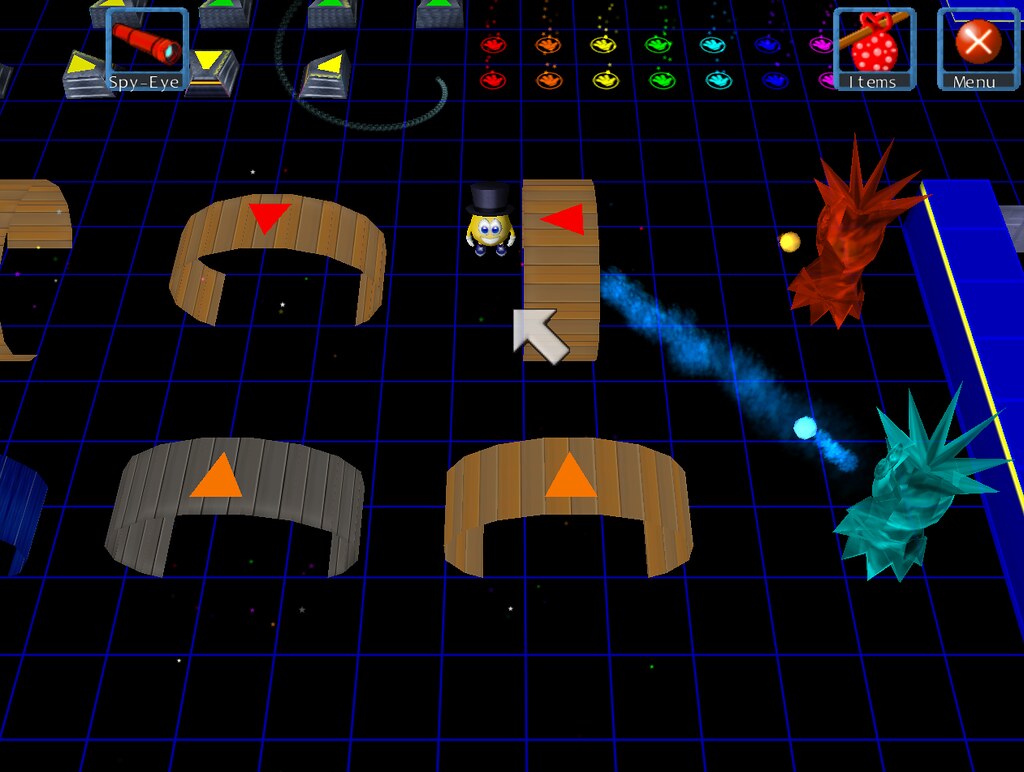
Just an image of a sample level showing some of the PoTZ objects. If anyone wants to fiddle around with this or take a look, I'll post it later.
UPDATE: Nov. 28th:
- Master-Class/Z-Bot NPCs added - Re-download Editor .wop packages from the Dropbox links above.
- PoTZ .WOP notes updated - Attached to post.
UPDATE: Dec. 02nd:
- Suction Tube Corners can be used, but are not included in the main package - This workaround requires hex editing the PoTZ player's wg.exe file. Currently working on a substitute of some sort for the meantime. Details on .exe workaround here.
UPDATED NOVEMBER 28th. Scroll down for details.
UPDATED DECEMBER 02nd. Scroll down for details.
In a similar vein to cbloopy and jafo1015's editor conversion objects allowing us to create levels using elements from MoFI, I've worked on putting together a set that allows us to use most of the gameplay objects from PoTZ.
The ones that aren't included are the Suction Tube "corner" pieces and standalone Brr Pads (These are indeed a separate object in PoTZ, I've checked). Additionally, I'm aware that Suction Tubes are somewhat annoying to work with here. I'm not sure what I can do about regular tubes, but I'm looking into it.
This also doesn't include PoTZ "Scenery" or objects that have had alterations between WA/MoFI and PoTZ (Stinker NPC, for instance).
ADDITIONALLY, I've put together a small Hub/Adventure set that does nothing other than allow the player to start PoTZ in a "Custom Adventure" mode in only a minute or two (I can't figure out how to hex the .exe file like cbloopy did, unfortunately).
So, basically, these packages:
- Allow you to run custom WA3 Adventures in the meantime before the Editor proper is released
- Allow you to create custom WA3 adventures using most of the gameplay elements introduced in PoTZ
- Are nothing more than an "in the meantime" thing before the Editor's proper release (which will hopefully be soon-ish)
Links:
PoTZ Player package (THIS IS NOT A COPY OF WA3, YOU MUST ALREADY OWN IT)
Editor .wop package, WA1 Editor Version
Editor .wop package, MoFI Editor Version
You'll also need the WA Editor tools, thread here: Click
The reason for these two different versions is because the Mothership object in PoTZ has a separate model from the one in MoFI (I'm not sure why to be honest). The MoFI Editor version of the Mothership object just uses the Mothership prop from MoFI itself, while the WA1 version uses a separate model as a stand-in.
A few notes on what the settings for the .wop files are is included in the Player download. Note that I haven't worked out how all of them function - If you should stumble across what values do what for certain objects, please let me know.
Also, I can't guarantee that levels using these will be compatible with the WA3 Editor upon release, so that's something to keep in mind.
EDIT: Also, actually, two things.
First off - READ THE INSTRUCTIONS FILE. I don't expect this to happen, but if you don't read it then ask for help relating to something the file mentions, I'm not going to assist. That is all.
Second off - While it's not inherently related to the conversion files, a note on Flash magic - A level using Flash properly must be set up to do so. Dropping a Flash charger into a level does not work properly, unlike the other magic spells.
From a technical standpoint, Flash works by "ghosting" an object and freezing its state, then teleporting it to 1,1 in the current level. If 1,1 is a wall tile or unblocked, you can get strange results, including game crashes. As a result, the tile at 1,1 needs to have floor logic and be blocked off, so any moving object on that tile does not leave.
EDIT 2, Nov. 1:
Just an image of a sample level showing some of the PoTZ objects. If anyone wants to fiddle around with this or take a look, I'll post it later.
UPDATE: Nov. 28th:
- Master-Class/Z-Bot NPCs added - Re-download Editor .wop packages from the Dropbox links above.
- PoTZ .WOP notes updated - Attached to post.
UPDATE: Dec. 02nd:
- Suction Tube Corners can be used, but are not included in the main package - This workaround requires hex editing the PoTZ player's wg.exe file. Currently working on a substitute of some sort for the meantime. Details on .exe workaround here.
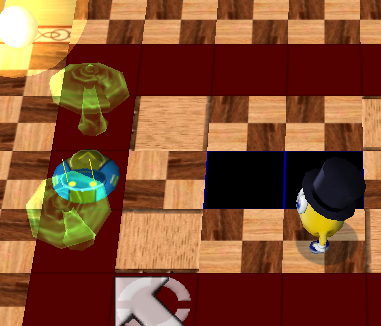


 I've tried messing about with them but haven't gotten any meaningful results.