I found a fix for super smaller font in Editor/TOW loading text/Vault/Game Options Screen
Posted: Thu Apr 29, 2021 7:40 pm
So basically, I had this bug before before in 2012-2014 on my Windows XP computer. I never then thought about it until very recently. Apperantly after I reinstalled Windows 10 before 2 months, I started to get this small font bug on all WA games. Everything that is Courier font was small and almost unreadable on my big monitors. I tried everything, Updating video drivers, DirectX, OpenAL, reinstalling Courier font. Nothing... Until I found this thread, that explains Region system locales affecting old apps font.
https://superuser.com/questions/1056631 ... windows-10
Basically, I had my System Locale setting to Bulgarian, and that was affecting the font. Heres how it looked like before the fix.
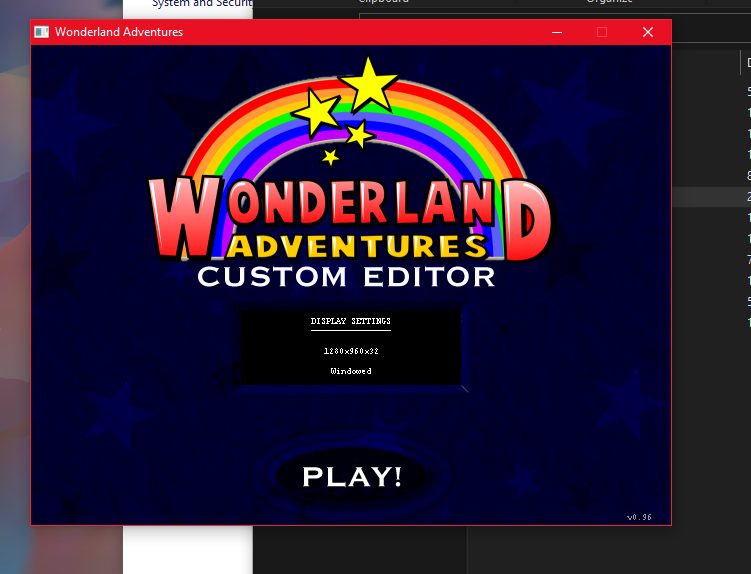
And after the fix:
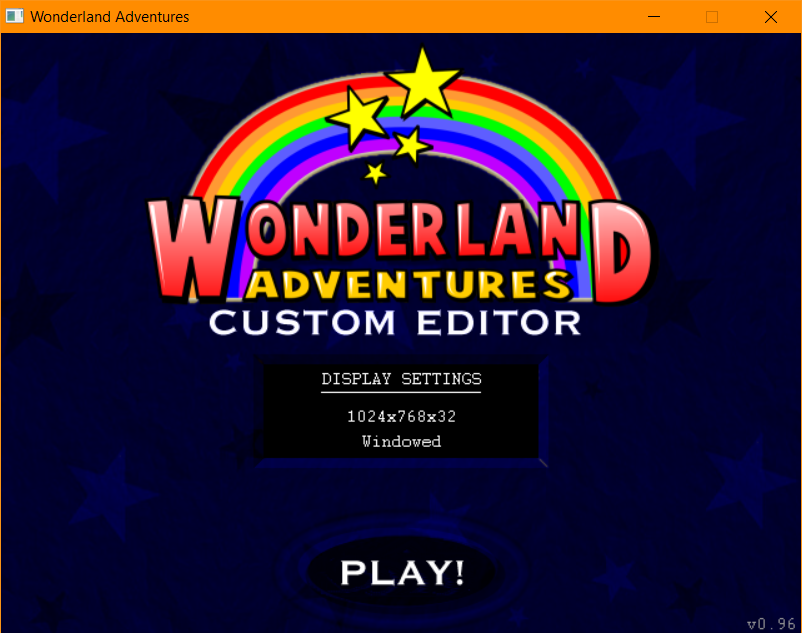
I changed the locale to English, and it warned me that I wont be able to use Bulgarian unicode characters after that.
But I applied changes, restarted PC, and i still can use them (явертъуиоп) They appear, they get sent on the internet correctly.
I hope I will help a lot of people fix this, because its really annoying. In my better editor mod, i coded a "THICC FONT" option that makes Courier bigger, but now that option is needless.
https://superuser.com/questions/1056631 ... windows-10
Basically, I had my System Locale setting to Bulgarian, and that was affecting the font. Heres how it looked like before the fix.
And after the fix:
I changed the locale to English, and it warned me that I wont be able to use Bulgarian unicode characters after that.
But I applied changes, restarted PC, and i still can use them (явертъуиоп) They appear, they get sent on the internet correctly.
I hope I will help a lot of people fix this, because its really annoying. In my better editor mod, i coded a "THICC FONT" option that makes Courier bigger, but now that option is needless.