
Hi all,
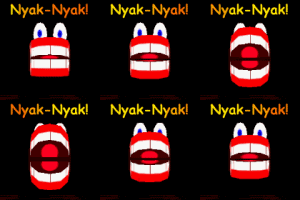
Ever since I started playing Return To Wonderland on Windows 7 (64bit), I noticed that certain graphics in the game look "blurry" or "fuzzy". It's especially apparent on Stinkers' eyes, but also buttons and some textures look blurry on my screen. See attached screenshot for example.
It never really bothered me, but I decided to ask on here in the off chance that someone knows what's going on. Has anyone seen this before?
Blurry graphics on Windows 7
Blurry graphics on Windows 7
You do not have the required permissions to view the files attached to this post.
(✿ ◕ᗜ◕)━♫.*・。゚
Currently making synth music as treehann
I make 2d games too at: treehann.itch.io
 thank you jdl for archiving this art from Pauline and Janet!
Currently making synth music as treehann
I make 2d games too at: treehann.itch.io
thank you jdl for archiving this art from Pauline and Janet!


I have no idea what might be causing this, but here are some possible things to try:
- In the launcher, try to change the game's resolution and/or it's mode (windowed/fullscreen)
- In the game, switch between 32bit and 16bit and see if anything changes.
- If your videocard has built-in smoothing effects ala antialiazing, bloom, etc, etc, try turning them OFF (one by one and/or all at once) temporarily. This blurriness might be an effect gone awry.
- In the launcher, try to change the game's resolution and/or it's mode (windowed/fullscreen)
- In the game, switch between 32bit and 16bit and see if anything changes.
- If your videocard has built-in smoothing effects ala antialiazing, bloom, etc, etc, try turning them OFF (one by one and/or all at once) temporarily. This blurriness might be an effect gone awry.
Rest in peace, Kym. I hardly knew ya.
Rest in peace, Marinus. A bright star, you were ahead of me on my own tracks of thought. I miss you.
Rest in peace, Marinus. A bright star, you were ahead of me on my own tracks of thought. I miss you.